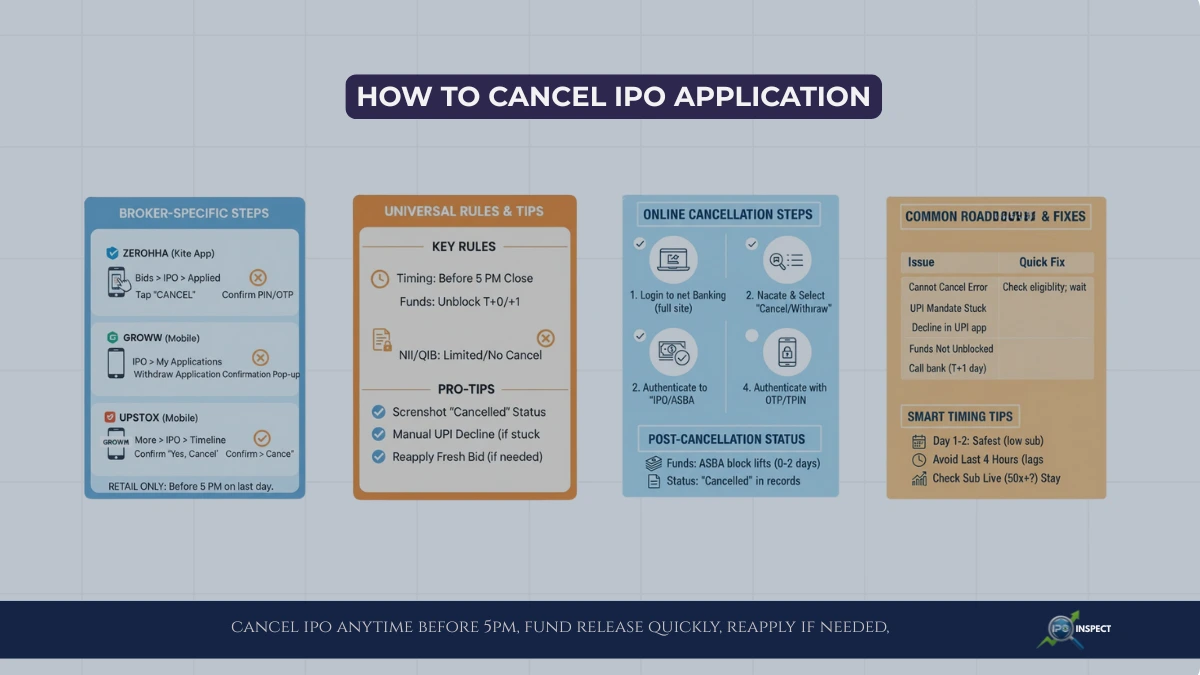
When you cancel IPO application after UPI mandate, you are essentially asking the exchange and your broker to withdraw your IPO bid while the UPI block on funds is still active.
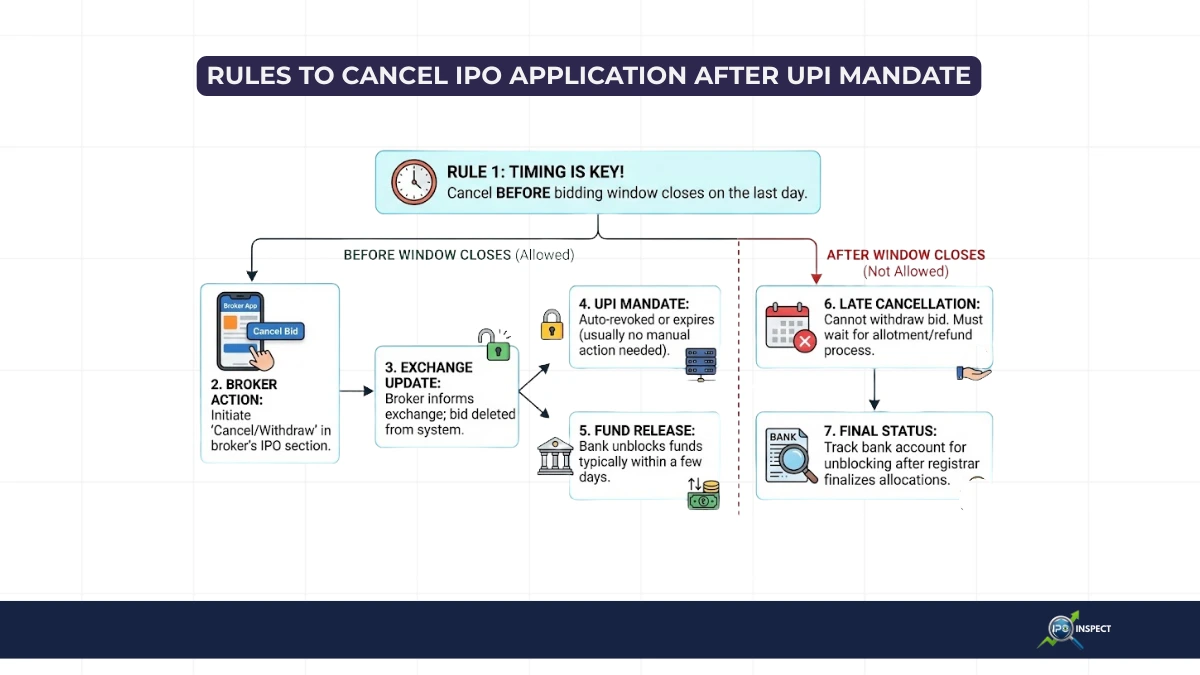
This is allowed for retail investors as long as the cancellation request is placed before the IPO bidding window closes on the last day of the issue, within the standard IPO cycle stages defined for that offer.
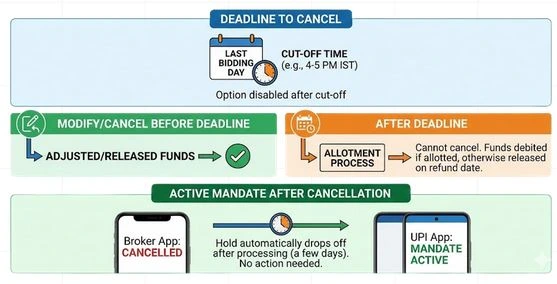
- If you cancel in time, your IPO bid deleted at the exchange and the UPI mandate is treated as revoked or allowed to lapse, so funds get unblocked automatically within a few days depending on your bank.
- If you try to cancel after the IPO closes, you usually cannot withdraw the application, if shares are not allotted, funds are unblocked after the IPO allotment and refund timeline, when the registrar finalises allocations and sends bank release instructions. If allotted, you must accept or handle it later via selling or corporate processes.
How IPO cancellation works after UPI mandate
Once you approve the UPI mandate, the application money blocked in your bank account but not yet debited, cancelling the IPO application tells the system that this block no longer needed.
The broker sends a delete/withdraw request to the exchange, and once that processed, the mandate either revoked automatically or expires, after which the bank releases your funds.
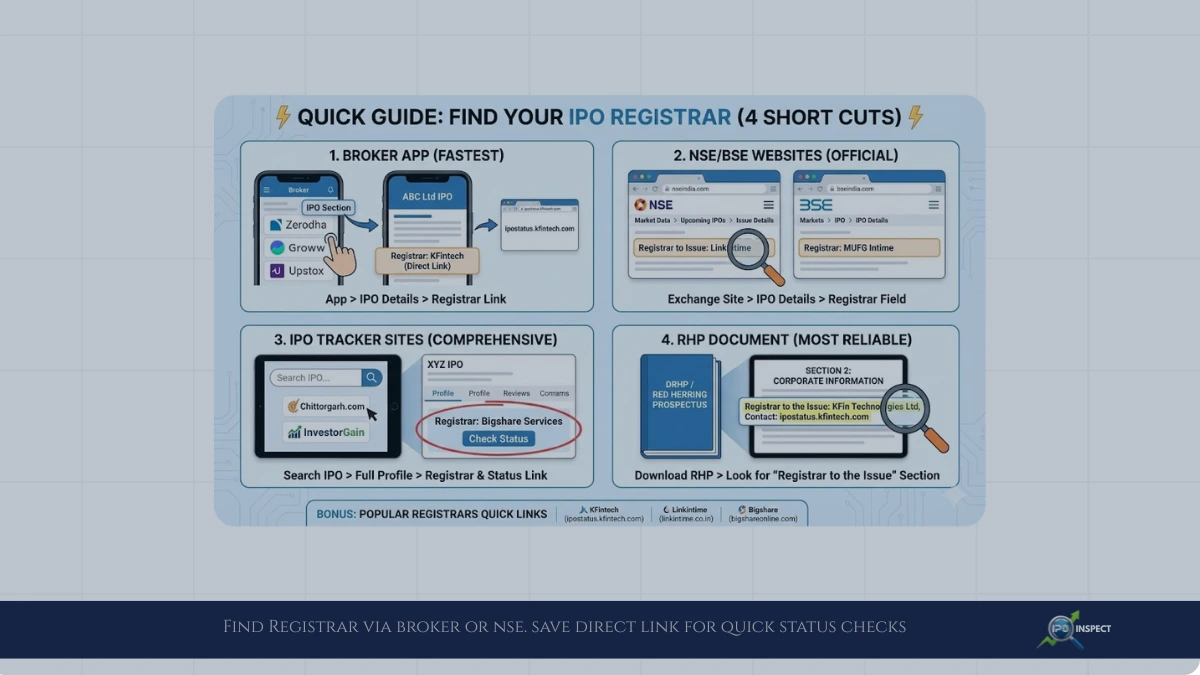
The final status of your application is updated by the IPO registrar, so it helps to know how to find the IPO registrar for an issue when you are tracking cancellation or allotment.
- For most online brokers, you cancel the bid directly in the IPO section of their app or website and do not need to separately cancel in the UPI app, unless they explicitly ask you to revoke the mandate.
- Some platforms mention that even if UPI mandate remains visible in your UPI app, once the IPO order cancelled in the broker system, the block may released automatically by the bank within the standard T+1 days window.
Step-by-step: cancel IPO after UPI mandate
Let’s walk through it like we are doing it together, so the flow is clear and simple for you as a retail IPO investor.
- Open your broker’s IPO section.
- Select the IPO application you want to withdraw.
- Choose “Cancel/Delete/Withdraw” application.
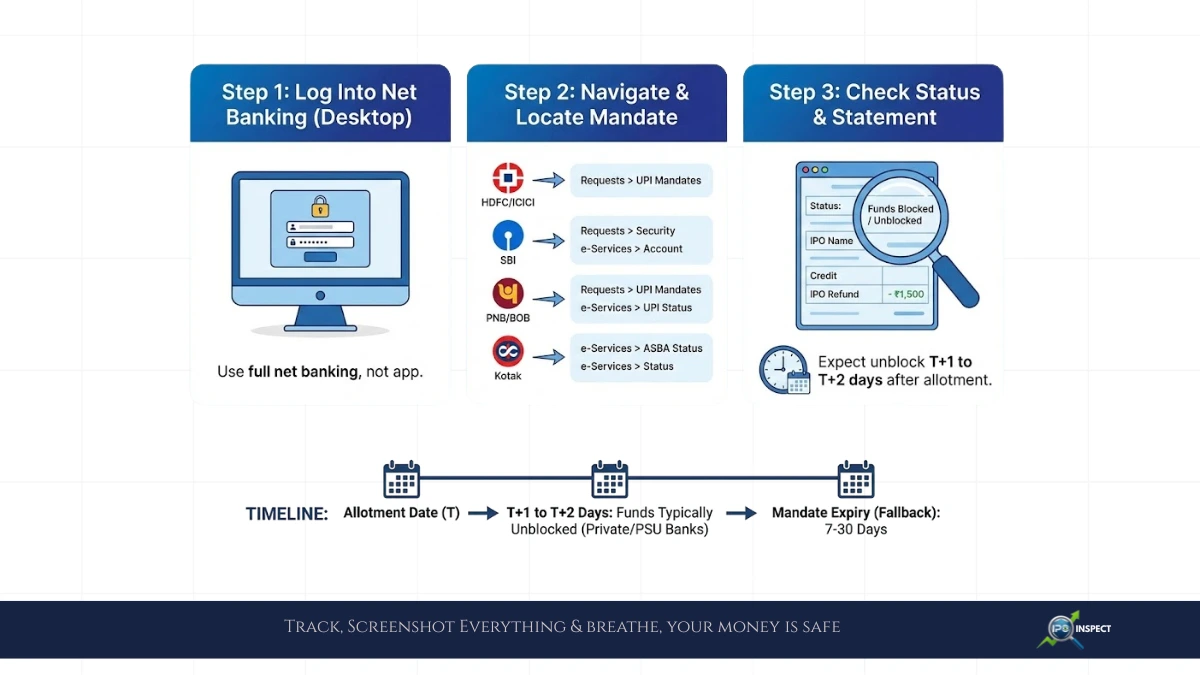
- Check mandate status in your UPI app.
- In many cases you don’t need to do anything; the mandate will be automatically reversed or expire after cancellation, but some brokers or banks also allow you to manually “revoke” or “decline” the mandate for faster release. If you see repeated failures or unusual messages around payment confirmation, they can lead to rejections similar to cancellation, as explained in our guide to UPI errors in IPO applications.
- Track fund unblocking in your bank.
Deadlines, Rules and Edge Cases You Should Know
Here we’ll quickly cover the situations many users from India ask about when they try to cancel IPO application after UPI mandate and get confused by different app messages and timelines.
- Deadline for cancellation:
- What if you modify instead of cancel:
- What if you got allotment anyway:
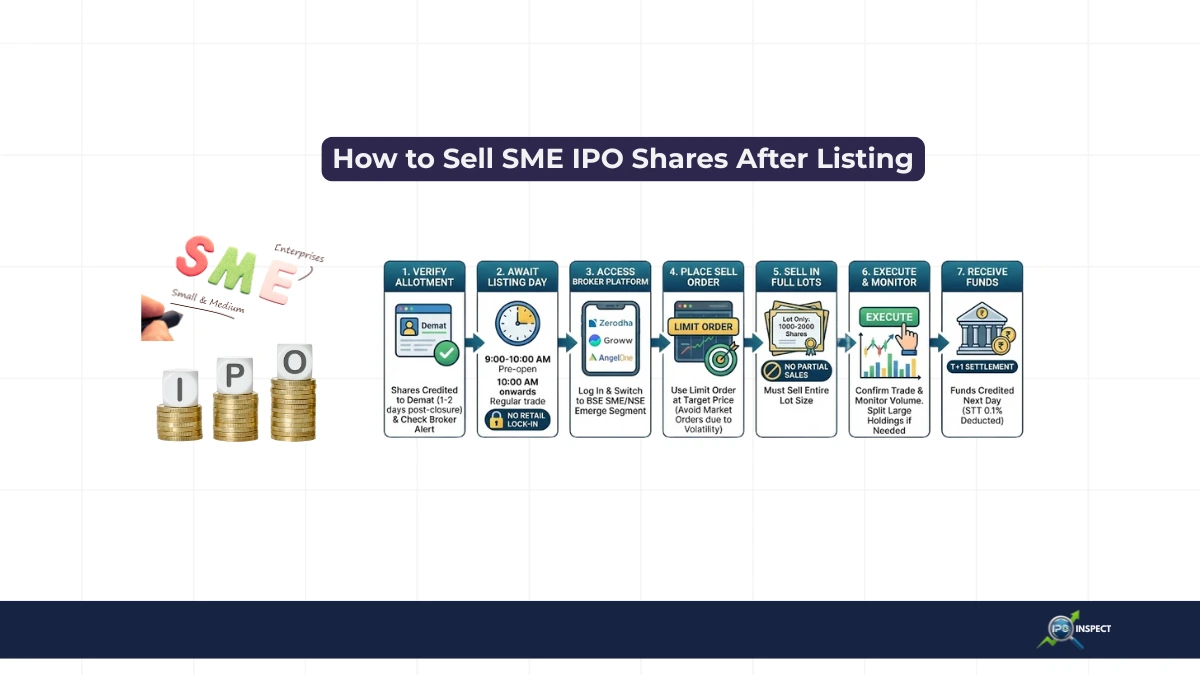
- If you miss the deadline and allotment happens, the blocked funds will be debited up to the allotted shares based on the IPO allotment calculation when oversubscribed, and you can later verify the final result using popular IPO allotment status portals, you cannot cancel after allotment, and your only option is to sell the shares later on listing if you want to exit.
- If the mandate is active but order cancelled:
- Users sometimes panic when the UPI mandate still shows as active even after cancelling in the broker app; however, platforms explain that the hold automatically drops off after the allotted time or once the sponsor bank processes the cancellation, and your limit becomes normal again without extra action from your side.
When and how funds are unblocked after cancellation
Finally, let us talk in simple terms about your money, because that is usually the real concern when you cancel IPO application after UPI mandate.
- On cancellation during issue period:
- If you never cancel but don’t get allotment:
- “When you let the application stay and no shares are allotted, the UPI block is removed as part of the refund process, usually around the allotment/refund date, and you can monitor this using standard IPO refund status checks provided by banks and registrars (T+3/T+4 type timeline under the latest norms), for your usable balance limit which restored automatically.
- If you revoked mandate manually in UPI app:
- Some banks and platforms indicate that revoking/declining the mandate in the UPI app without corresponding cancellation at broker side may lead to application rejection due to payment failure, which practically behaves like cancellation but is not the clean, recommended method, using the broker’s cancel option is safer and clearer for records.