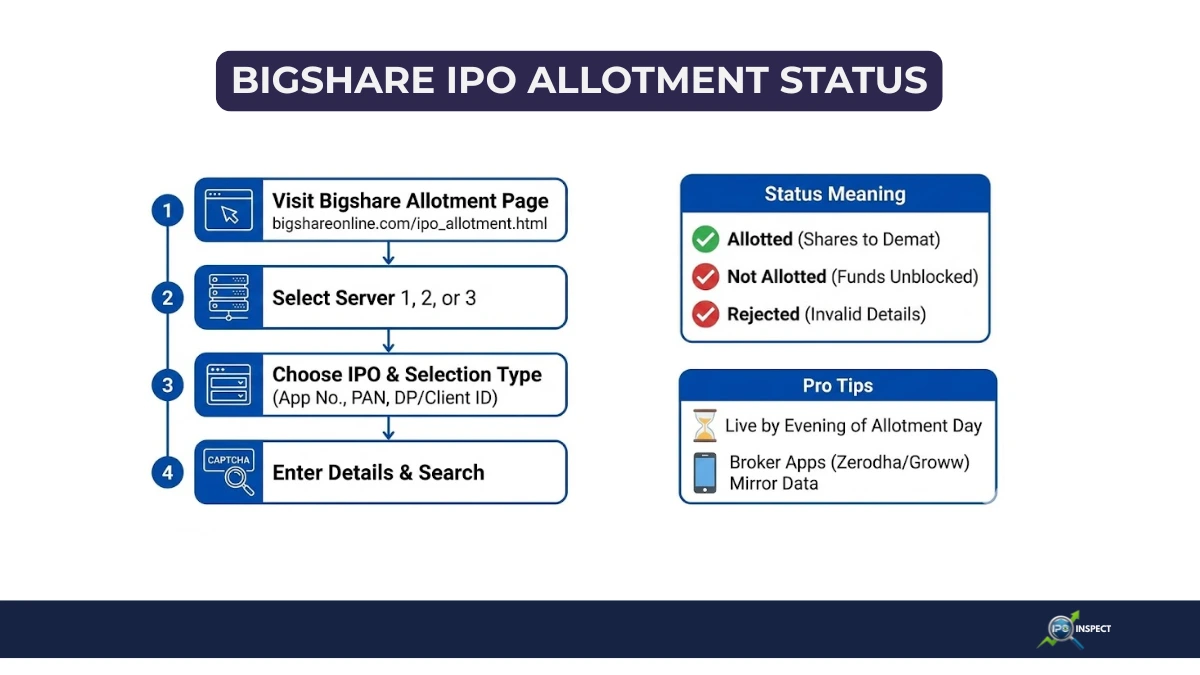
Good news, canceling an IPO application is straightforward if you act during the subscription window and understand how an IPO mandate and ASBA in IPO actually work behind the scenes before shares get allotted.
Here’s the real talk on how it works, who can do it, and avoiding common traps.
When You Cancel an IPO Application?
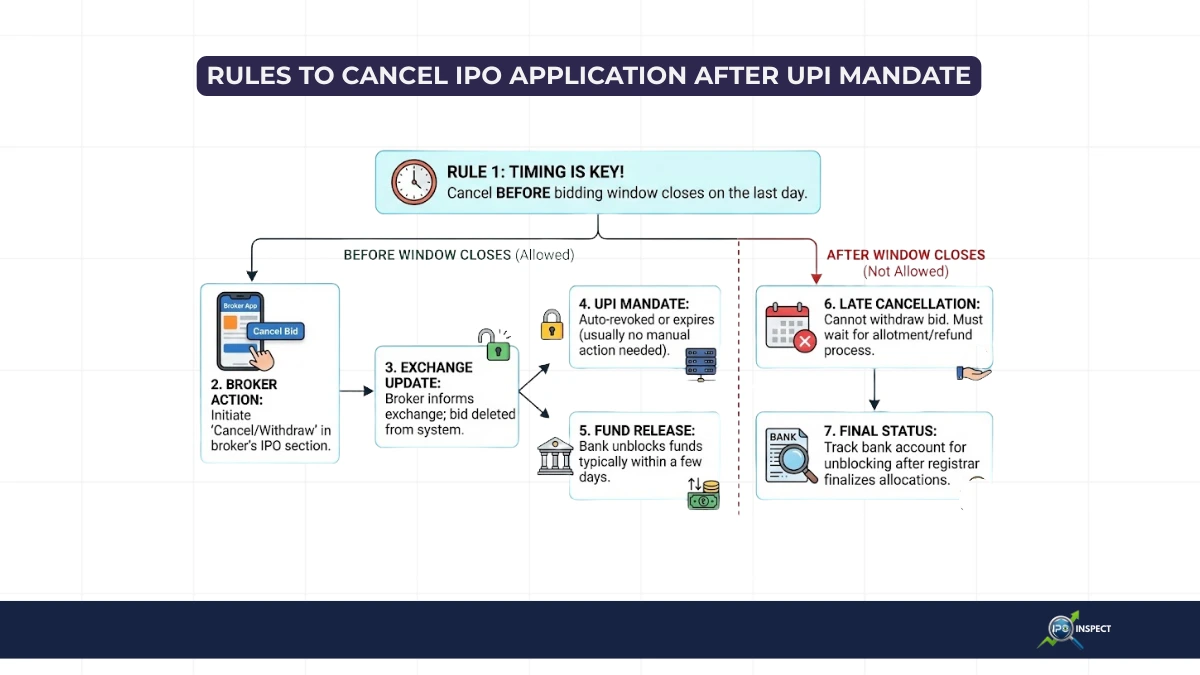
Only during the open subscription period (usually 3-5 days from IPO open to 5 PM close). Once the window shuts and allotment kicks off, cancellation is impossible your bid locks in.
- Retail (RII): Up to ₹2 lakhs – Cancel anytime before close.
- NII/HNI: Limited window (often after 50% subscription), stricter rules that depend on how NII category in IPO is structured for that issue.
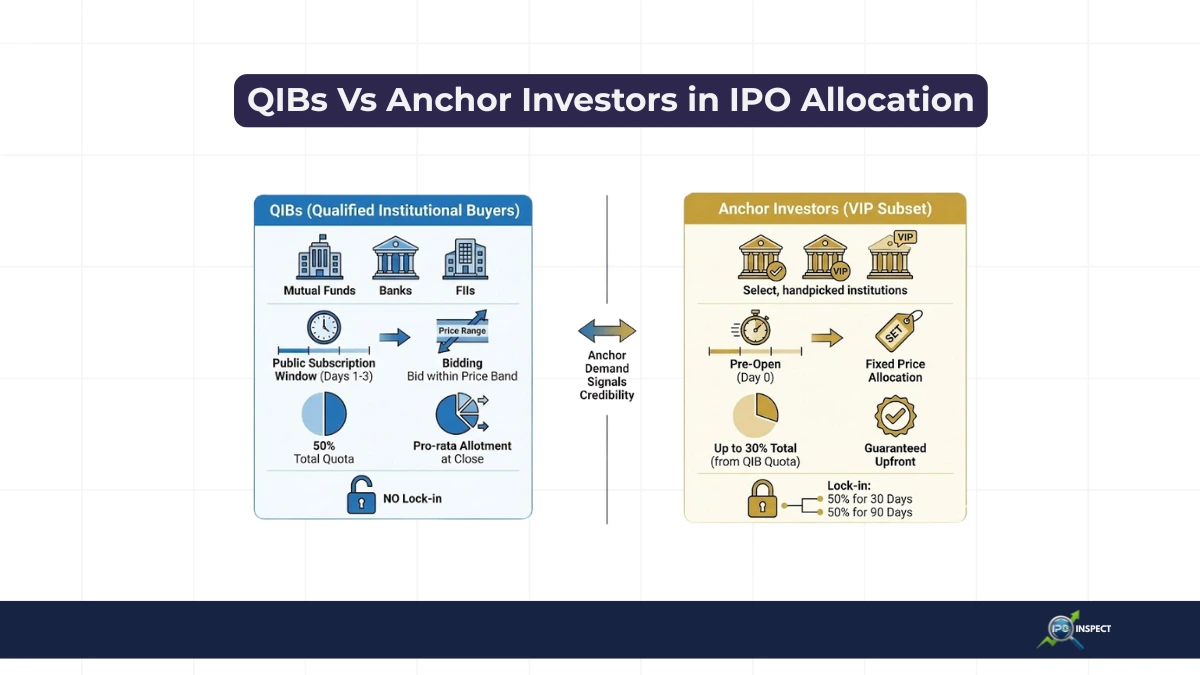
- QIBs: Generally no cancellation, because QIB investors in IPOs are expected to commit capital for the full offer.
Method:1
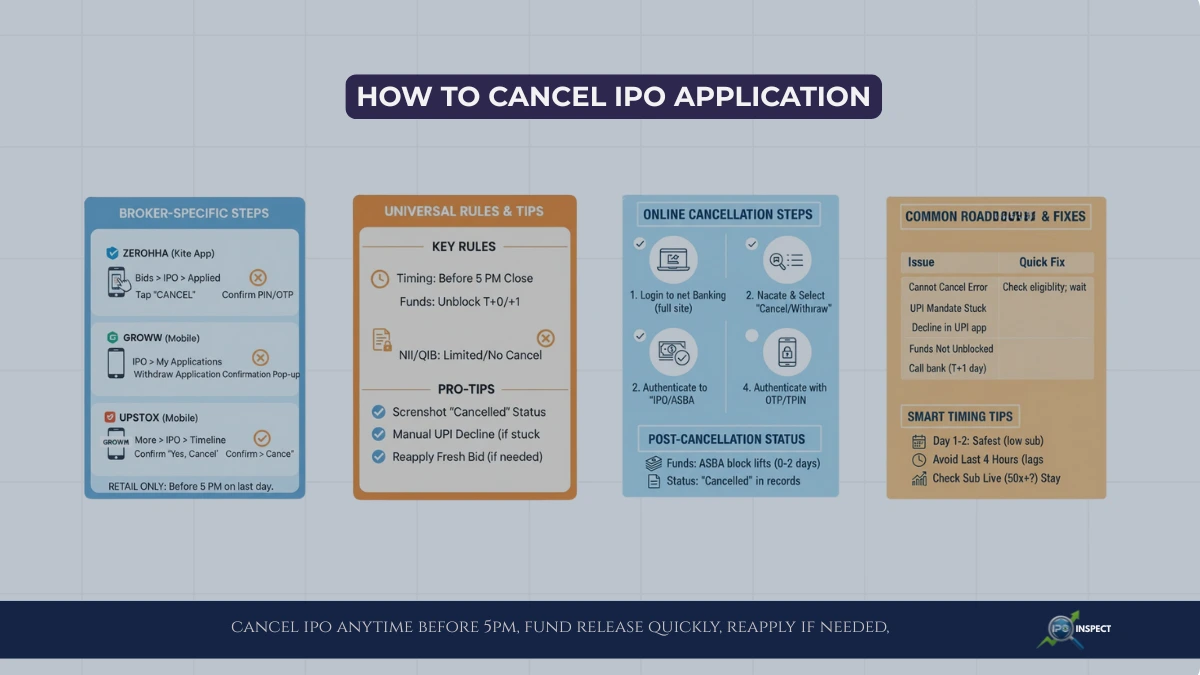
Broker Specific Steps to Cancel IPO on Zerodha, Groww, and Upstox 2025
Had second thoughts about that IPO bid? No problem canceling works smoothly on Zerodha, Groww, and Upstox if you’re quick (before 5 PM close).
Each broker has slightly different paths, but it’s always 3-4 clicks in their apps/consoles. Here’s the exact walkthrough for each.
How to Cancel IPO Application via Kite App or Console
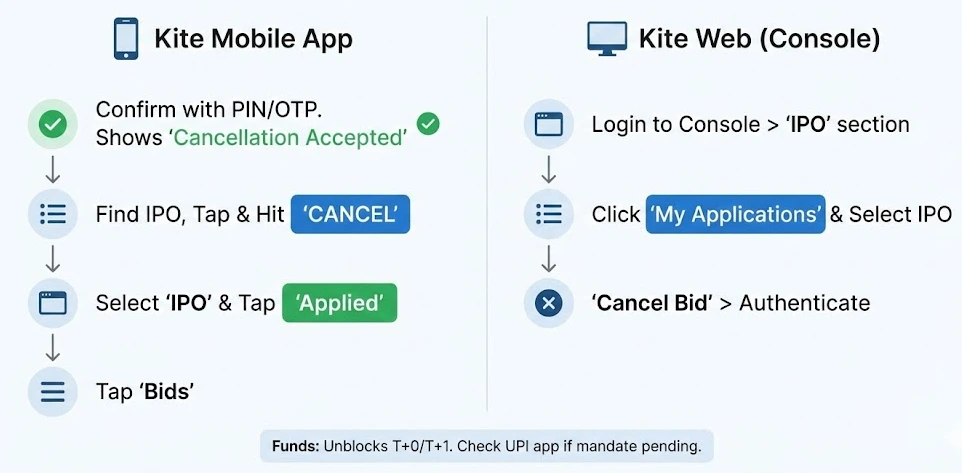
Zerodha makes it dead simple works on both mobile and web during subscription hours (10 AM-4:30 PM typically).
Kite Mobile App:
- Open Kite app > Tap “Bids” (bottom menu)
- Select “IPO” tab > Tap “Applied”
- Find your IPO > Tap it > Hit “CANCEL”
- Confirm with PIN/OTP done, Shows “Cancellation Accepted”
Kite Web (Console):
- Login at console.zerodha.com > “IPO” section
- Click “My Applications” > Select IPO
- “Cancel Bid” > Authenticate
Funds: Unblock T+0/T+1; if money doesn’t show up, also watch your IPO allotment status with the registrar to confirm that the application is fully cancelled.
Cancel IPO Application from Groww IPO Dashboard
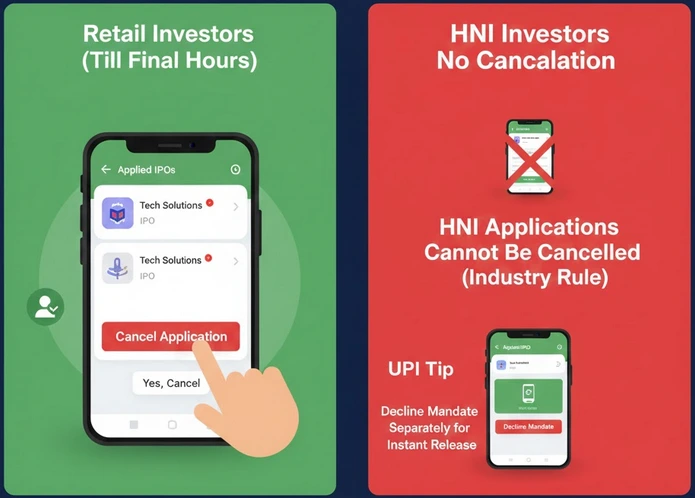
Groww’s clean interface puts everything in one spot retail bids cancel till final hours.
- Open Groww app > “IPO” from bottom nav
- Tap “My Applications” or “Applied IPOs”
- Select the IPO > Look for “Cancel” or “Withdraw Application”
- Confirm > “Yes, Cancel” pops confirmation
Note: HNI applications on Groww? No cancellation (industry rule). Retail only.
UPI Tip: If the mandate shows in PhonePe or GPay, decline it separately for instant release and cross-check using our guide to UPI errors in IPO and how to fix them if anything gets stuck.
Upstox: Quick Cancel via Timeline
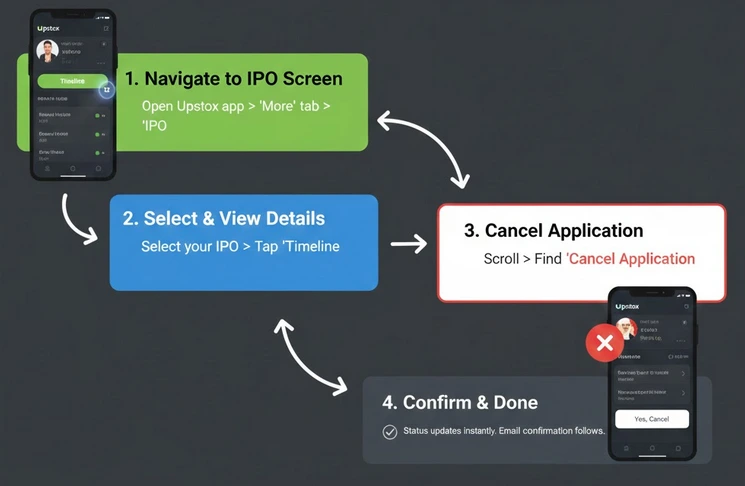
Upstox keeps it under the same IPO screen you applied from.
- Open Upstox app > “More” tab (bottom) > “IPO”
- Select your IPO > Tap “Timeline” or “Summary”
- Scroll to find “Cancel Application” button
- Tap > “Yes, Cancel” to confirm
Status updates instantly email confirmation follows.
Quick Comparison Table about to Cancel IPO Application
| Broker | App Path | Web Path | UPI Mandate Extra Step? |
|---|---|---|---|
| Zerodha | Bids > IPO > Applied > Cancel | Console > IPO > Cancel | Yes, decline if pending |
| Groww | IPO > My Applications > Cancel | Web IPO dashboard | Sometimes |
| Upstox | More > IPO > Timeline > Cancel | Console IPO section | Usually auto |
Universal Rules across all Brokers for Cancelling IPO Application
- Timing: Before 5 PM IPO close (some cut at 4 PM for processing)
- Retail Only: NII/HNI has shorter/no windows
- Funds Release: Same/next day to the linked bank in most cases; if you’re unsure, track your IPO refund status using the application details.
- Reapply: Cancel > Fresh bid is OK (watch limits and understand how many IPO bids you can make under SEBI rules)
- Proof: Screenshot “Cancelled” status
Troubleshooting Common Hiccups on IPO Application Cancellation
- Cannot Cancel? Check if NII bid or window closed, call support.
- Mandate Stuck? UPI app > Pending > Decline manually.
- No Button? Refresh app, or use web version.
These broker specific steps to cancel IPO save headaches, just act early, confirm visually, and your money’s back fast. Next hot issue awaits.
Method 2:
How to Cancel IPO Application via Bank Net Banking (ASBA Route)
Applied directly through bank? Check here:
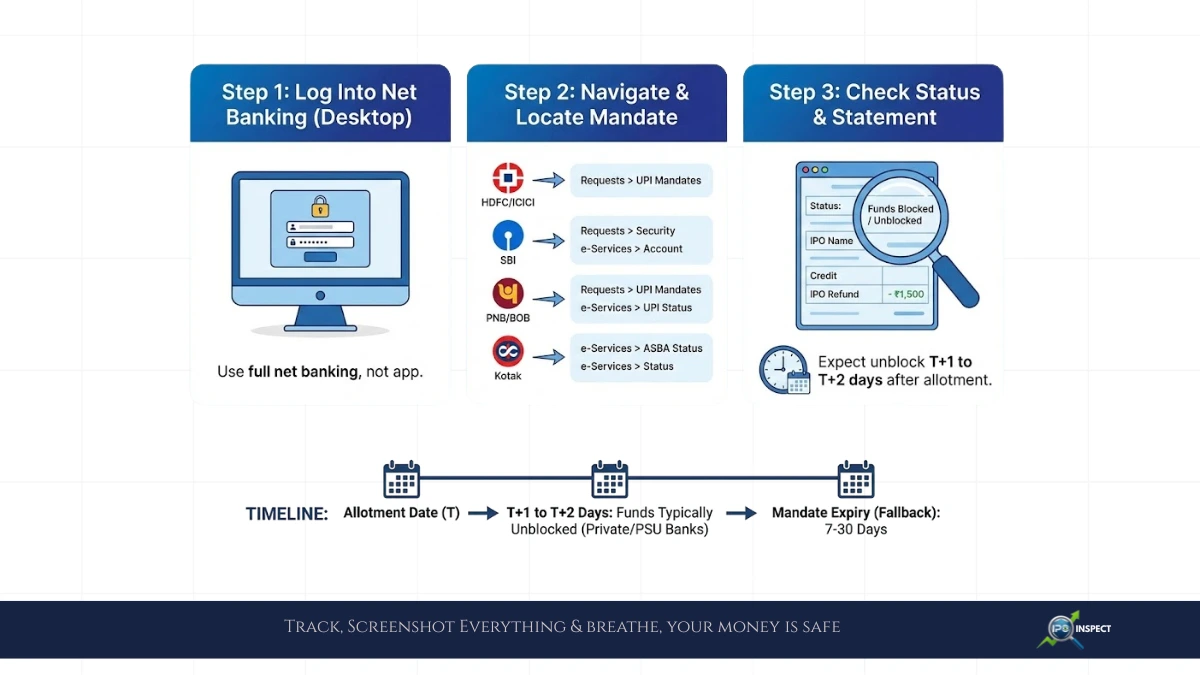
- Login to net banking (full site, not app)
- Navigate to “IPO/ASBA/Requests”
- Locate your application under pending
- Select “Cancel/Withdraw”
- Authenticate with OTP/TPIN
Funds unblock within hours for most banks.
Method 3:
Offline Cancellation for IPO Application
Paper forms or branch visits? Rare now, but:
- Fill cancellation form from your SCSB branch
- Submit with original acknowledgment slip
- Takes 1-2 days vs instant online
What Happens After IPO Application Cancellation?
- Funds: ASBA block lifts same/next day; UPI mandates auto-expire.
- Reapply? Yes! Cancel old bid, submit fresh one (same IPO, different quantity/price).
- Status: Shows “Cancelled/Withdrawn” in broker/exchange records.
Common Roadblocks and Fixes
| Issue | Why It Happens | Quick Fix |
|---|---|---|
| Cannot Cancel Error | NII bid or window closed | Check eligibility; wait for broker support |
| UPI Mandate Stuck | Pending approval | Decline in UPI app + broker cancel |
| Funds Not Unblocked | Bank delay is common | After T+1 you can also review reasons for IPO allotment rejection to ensure the application isn’t stuck at the exchange or registrar level. |
| Multiple Bids | Cancel one, others stay | Cancel each separately |
Who Cannot Cancel (Strict Rules) IPO Appl
- QIBs: No take-backs – anchor or not.
- NIIs: Only partial window (check RHP).
- After 5 PM Close: All bids freeze.
Smart Timing Tips
- Day 1-2: Safest low subscription, easy cancel.
- Avoid Last 4 Hours: Exchanges throttle, broker lags.
- Check Subscription Live: 50x oversubscribed? Might want to stay in, especially if IPO GMP today and demand indicators are signalling strong listing interest.
How Long Brokers Take to Process IPO Cancellation Requests in 2026
Most handle in minutes to hours during market hours, but bank unblocking adds a twist. Here’s the real timeline breakdown.
Instant Processing (During Active Hours)
Retail cancellations (under ₹2 lakhs) process almost immediately when submitted correctly:
| Broker | Processing Time (Market Hours) | Status Update |
|---|---|---|
| Zerodha | 5-15 minutes | Kite shows “Cancelled” instantly |
| Groww | Under 10 minutes | Dashboard refreshes immediately |
| Upstox | 5-20 minutes | Timeline updates real-time |
| Angel One | 10-30 minutes | Email + app notification |
Market Hours Window: 10 AM – 4:30/5 PM (broker-specific). Submit before cutoff.
These quick confirmations make it easy to track your IPO cycle stages, from bid placement to cancellation, allotment, and eventual listing.
After-Hours and Weekend Requests
Placed outside exchange hours? Expect next-day processing:
- After 5 PM: Processed next business day at 10 AM
- Weekends: Monday morning queue
- Last IPO day: Many cut off at 2-3 PM for processing buffer
Example: Friday 4:45 PM Zerodha cancel > Saturday shows “Pending Exchange Confirmation” > Monday 10:15 AM “Cancelled”.
Full Timeline: Request to Funds Available
| Stage | Typical Duration |
|---|---|
| Broker submits to exchange | Instant (10 AM-5 PM) |
| Exchange confirmation | 5-30 minutes |
| Broker status update | Immediate post-exchange |
| Bank unblock starts | Same day (private banks) |
| Funds fully available | T+0 to T+2 days |
Private banks (HDFC/ICICI): Often same evening. PSUs (SBI/PNB): 1-3 days.
Once money is back, many investors use past data on IPO listing gains to decide whether to reapply for other issues or wait for better opportunities.
Finally, we say that Cancel IPO application anytime before 5 PM close via broker/bank simple clicks, instant funds release. Reapply if you change your mind. Retail investors have the most flexibility, NIIs/QIBs play by tighter rules. Screenshot confirmations, and you’re golden for the next issue.