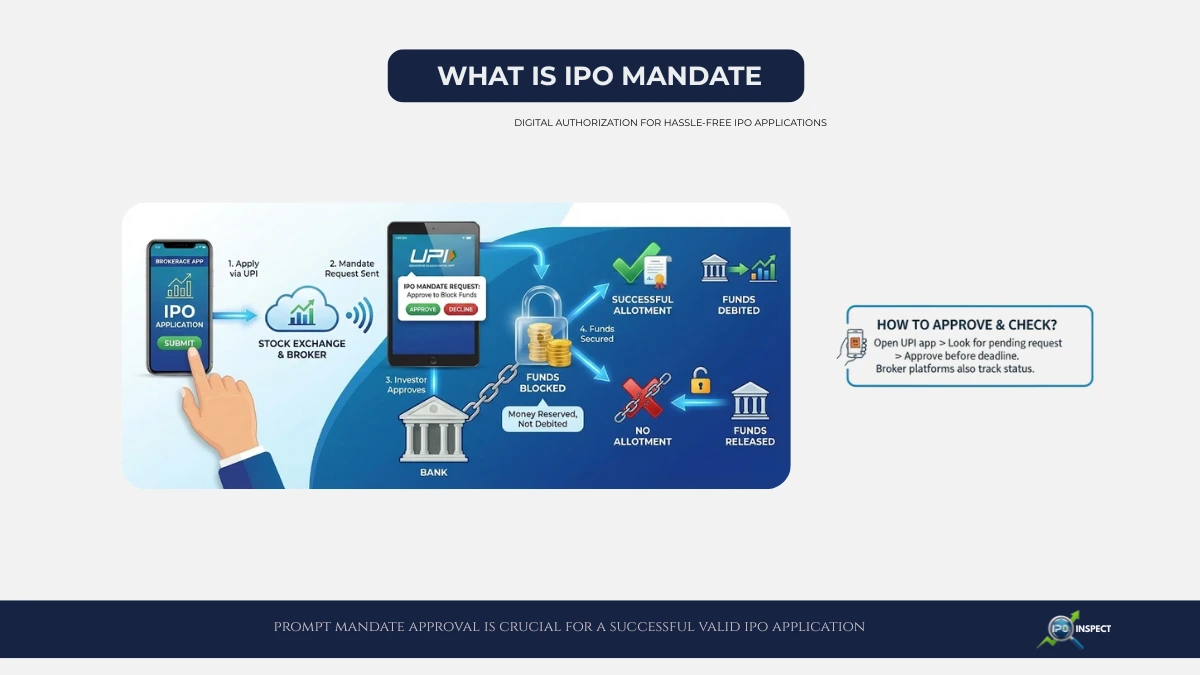
An IPO mandate is a digital authorization given by investors to their bank via UPI (Unified Payments Interface) apps to block funds required for an IPO application.
This UPI-based blocking works alongside the traditional ASBA IPO application process, where funds reserved in your bank account until allotment.
This mandate acts as a security measure ensuring the investor’s application money approved before final bidding, streamlining the payment and refund process.
Your IPO application is treated as valid only after you approve the mandate within the specified time window.
It instructs your bank to block funds equivalent to your IPO bid amount temporarily but does not debit them immediately.
Your application considered valid only after approving this mandate within a stipulated time window.
How does IPO Mandate Work?
- You apply for an IPO through your broker or bank using your UPI ID.
- The stock exchange forwards a mandate request to your UPI app on your smartphone or banking app.
- You approve or reject the mandate to block funds for your application.
- If approved in time, the bid proceeds and if not, your application rejected.
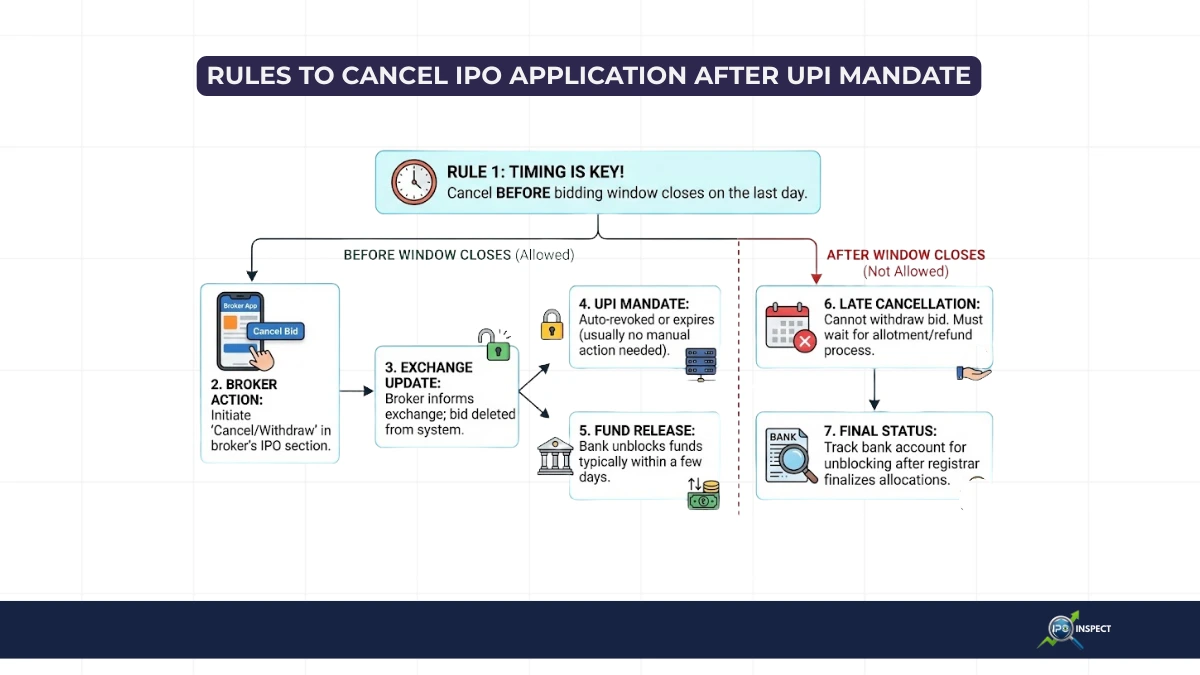
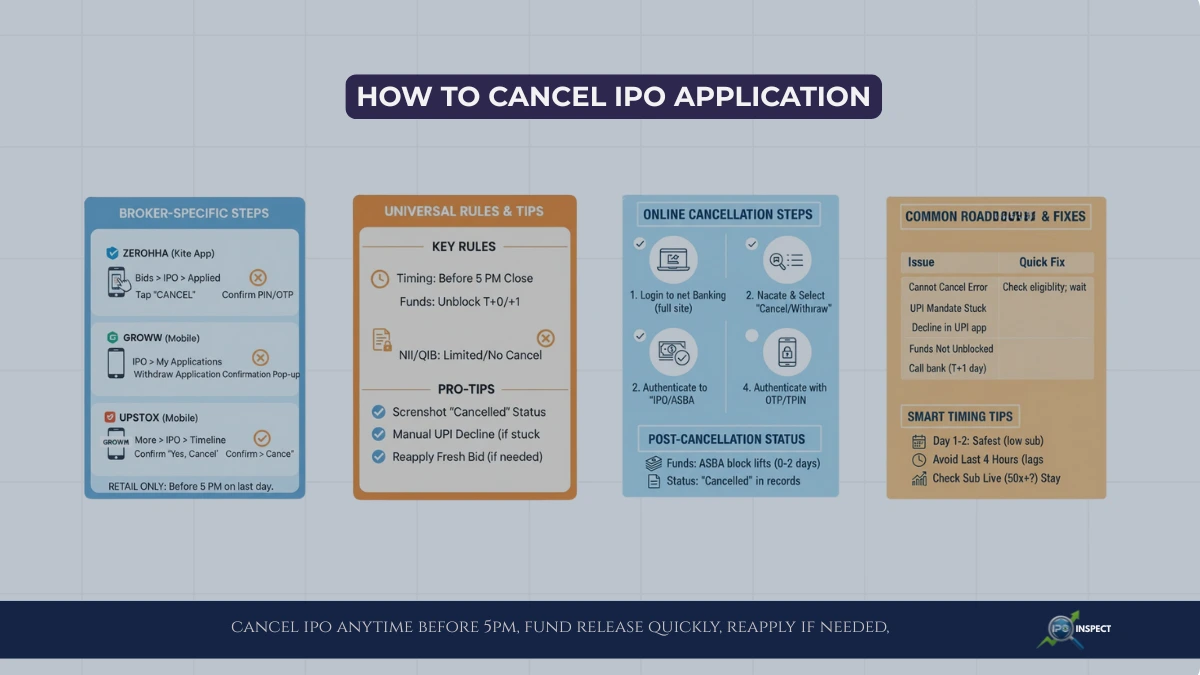
- Upon successful allotment, the blocked amount debited from your bank account, if not allotted, the block released, but if mandate fails or does not trigger correctly you should review common UPI mandate errors in IPO applications and how to fix them.
Why is IPO Mandate Important?
- Ensures uninterrupted fund availability for payment upon share allotment, which crucial once the IPO share allotment process completed, especially in heavily oversubscribed IPO issues.
- Protects investors from unwanted debits before approval.
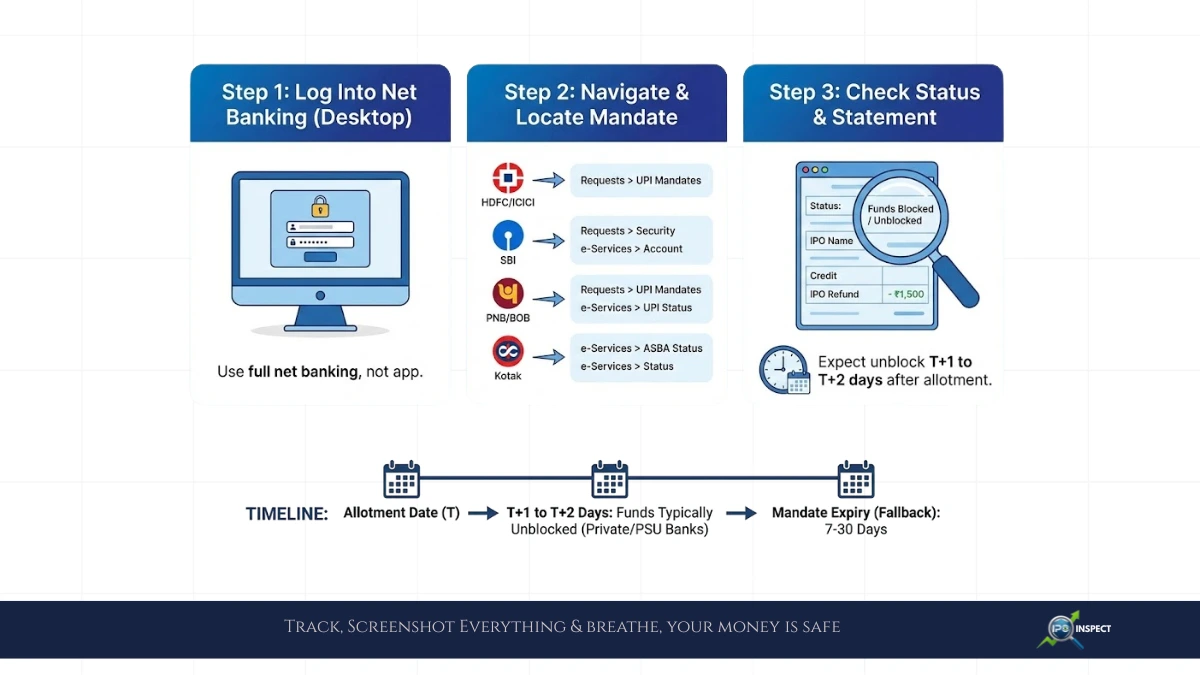
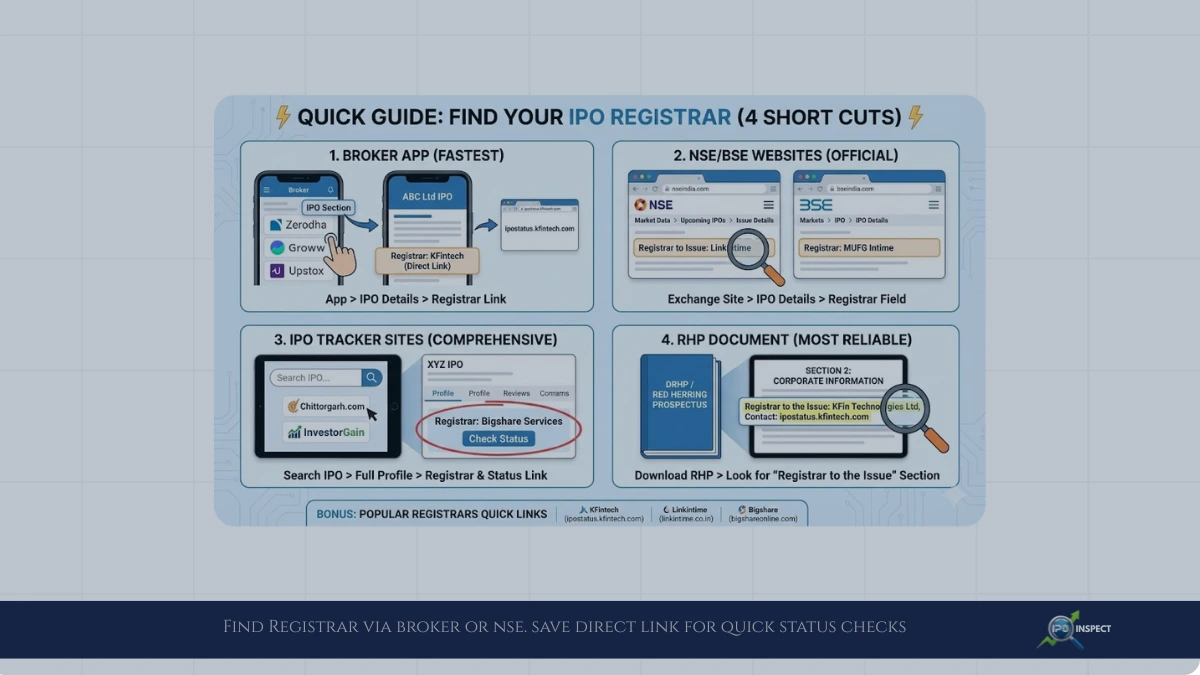
- Simplifies and speeds up the payment and refund process post-IPO, making it easier for investors to check IPO refund status online.
- Mandatory for IPO applications using UPI as payment mode since SEBI regulations.
Common IPO Mandate Scenarios
- Pending: Mandate request sent but investor hasn’t approved yet.
- Completed: Mandate approved; funds blocked successfully.
- Failed/Rejected: Denied or approval timed out, application invalidated, and in many cases counted among common IPO allotment rejection reasons.
How to Approve and Check IPO Mandate?
- Open UPI app (Google Pay, PhonePe, Paytm, BHIM, etc.) on your phone.
- Look for pending mandate requests and approve them before cut-off times.
- Some broker platforms also show mandate status for easier tracking.
Conclusion: IPO mandate is a critical digital authorization ensuring your IPO application backed by blocked funds, protecting your interests and enabling hassle-free payments and refunds. Prompt approval of the mandate within deadlines is essential for a valid and successful IPO application.